
Your people, close.
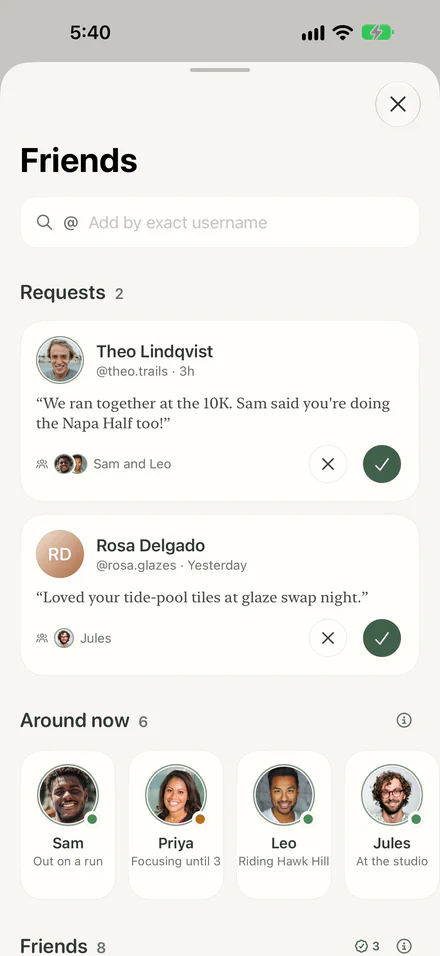
Add by username. Find a friend by their exact username.
Around now. A status each friend chooses to share, like out on a run.
Private until you share. You choose each task or plan a friend can see.
A calm planner with an Assistant. It turns a goal into small steps, fits them around your calendar, and re-plans when a day slips.
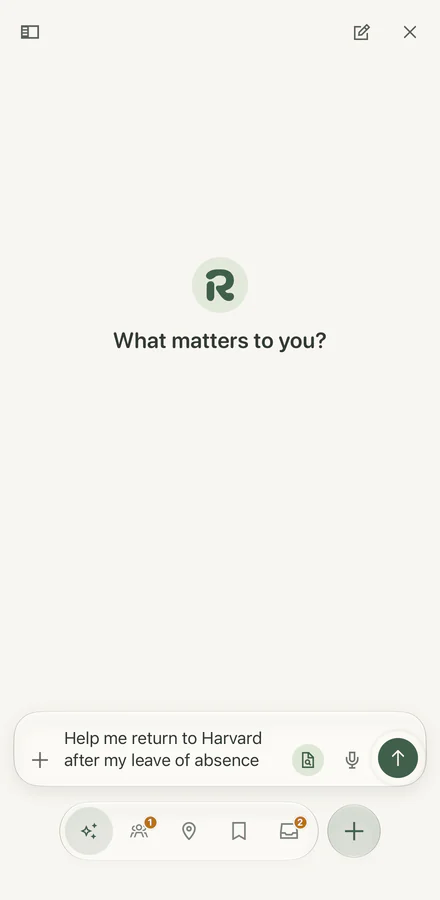
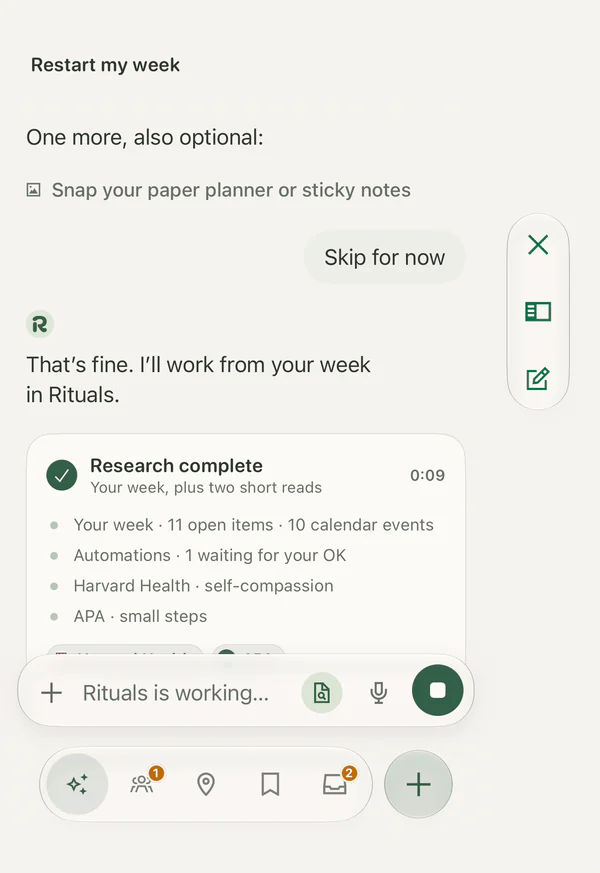
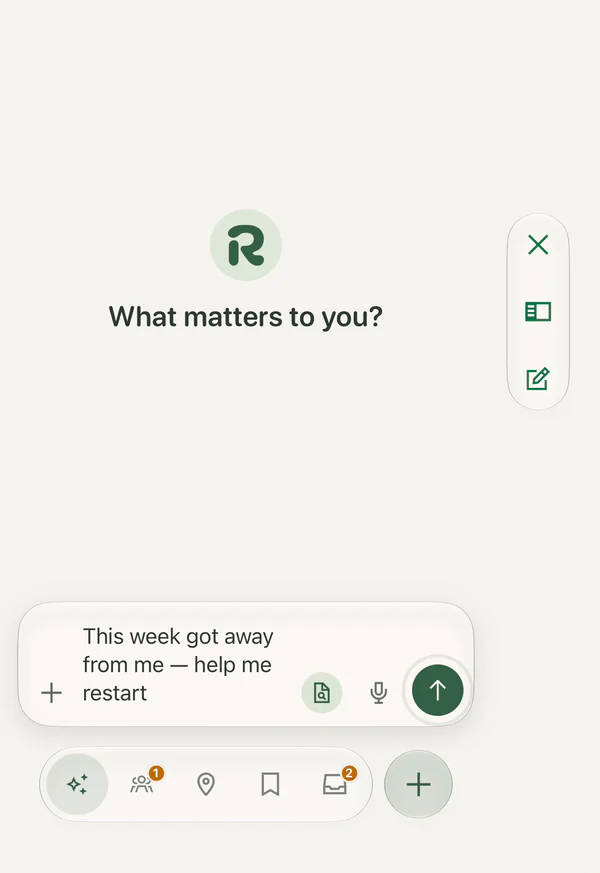
iPhone Duo, closed. Restart my week: “That’s fine. I’ll work from your week in Rituals.” Research complete in 9 seconds — Maya’s week, 11 open items and 10 calendar events, plus two short reads — and Rituals is working on her plan.

Maya skips the last optional question. The Assistant works from her week in Rituals, reads 2 short sources, and re-fits her week with nothing dropped and 30 minutes a day. She adds the moves to her plan.
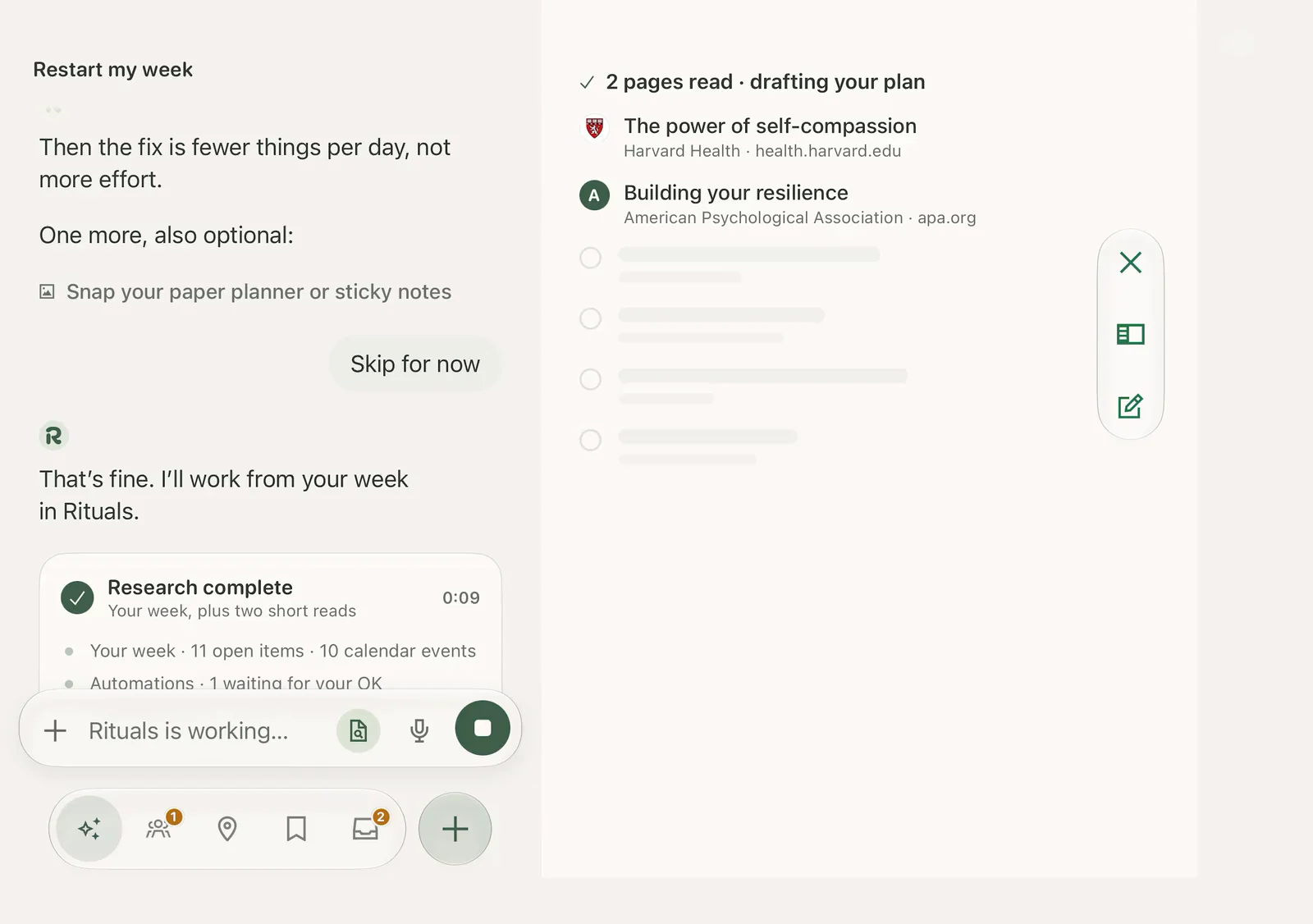
Maya skips the last optional question. The Assistant works from her week in Rituals, reads 2 short sources, and re-fits her week with nothing dropped and 30 minutes a day. She adds the moves to her plan.
Assistant
Tell Rituals the week got away. It keeps what you finished and re-fits the rest into days small enough to start.
Talk it through. Type it or say it. A rough sentence is enough.
Nothing dropped. Finished steps stay done; the rest moves to days with room.
Your call. Changes wait for your review by default, and most can be undone.
Assistant
Tell Rituals the week got away. It keeps what you finished and re-fits the rest into days small enough to start.
Talk it through. Type it or say it. A rough sentence is enough.
Nothing dropped. Finished steps stay done; the rest moves to days with room.
Your call. Changes wait for your review by default, and most can be undone.
How it works
A goal, a busy week or a rough idea, in your words.
Milestones and a small first step, with sources you can check.
Each step fits your calendar, and you can share one with friends.
If a day slips, Rituals moves what’s left. Nothing is lost.
Today
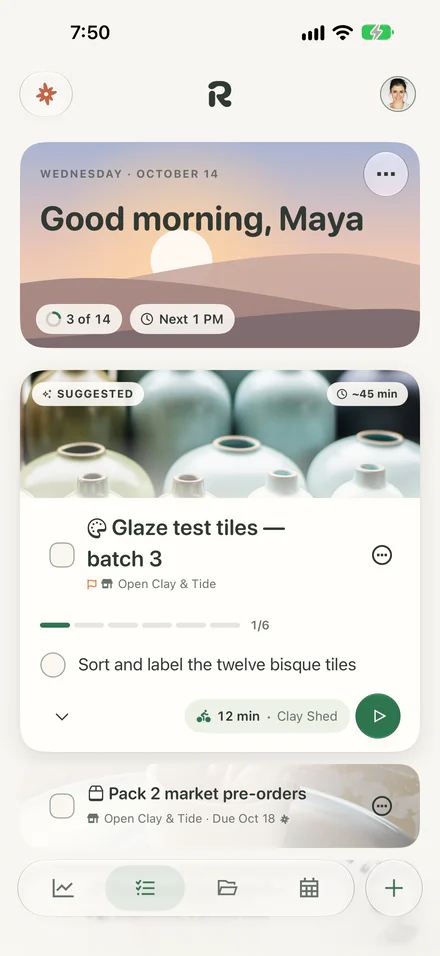
Today puts the one step that moves things forward on top, with how long it takes and where.
Small steps. Tick them off on Today or on the task’s own page.
Progress that holds. Checked steps stay checked, even if plans change.

On the open phone, Maya checks “Wax resist the left third of each tile” on the Today card, and the task page beside it checks the same step.
Small steps. Tick them off on Today or on the task’s own page.
Progress that holds. Checked steps stay checked, even if plans change.

Maya starts Glaze test tiles from Today. Focus opens on step 2 of 6, sort and label the 12 bisque tiles, with 45 minutes on the ring. She adds 5 minutes, then ends the session.
Focus on your Lock Screen. While a step runs, the time left stays in view.
Widgets. Next Step on Home and Lock Screens. Today and Path on Home.
Real alarms. Give a task an alarm that rings, not just a notification.
Siri. Say “Show my next step in Rituals.”
Paths
A first half marathon, an Etsy shop, a return to school. The Assistant asks a few questions and drafts a path.
Sources you can check. See what it read before you rely on the plan.
Milestones with a finish line. Each one says when it’s done.
A first step, scheduled. Small enough to start, at a time that’s free.

The Assistant reads 11 sources about spring races and knee-safe training, drafts a Napa Spring Half plan with milestones, and adds the first strength session to Calendar.
Sources you can check. See what it read before you rely on the plan.
Milestones with a finish line. Each one says when it’s done.
A first step, scheduled. Small enough to start, at a time that’s free.
Quick add
Rituals reads the day, time and repeat on your device as you type. Return adds it.
Lights up as you type. Tap a highlight to undo that reading.
Repeats in plain words. “Gym every Mon 7am for 45 min” works as typed.
Asks when unsure. “Call tomorrow at 8” asks you to pick a time, or none.
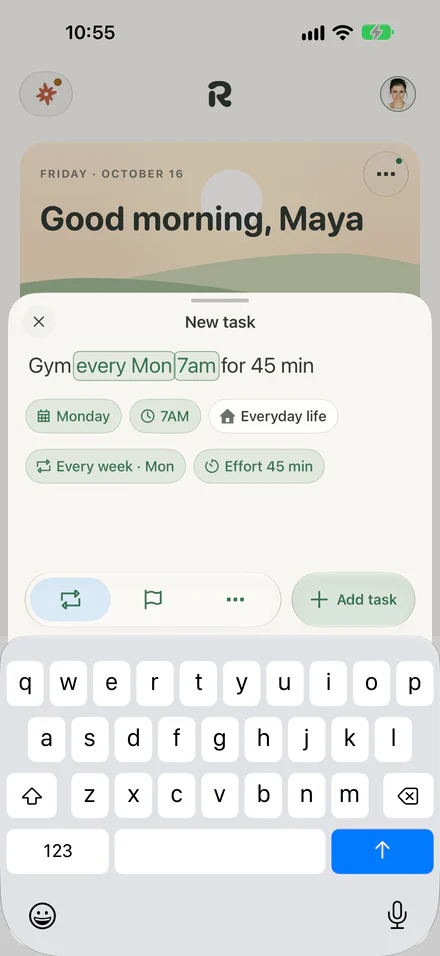
Lights up as you type. Tap a highlight to undo that reading.
Repeats in plain words. “Gym every Mon 7am for 45 min” works as typed.
Asks when unsure. “Call tomorrow at 8” asks you to pick a time, or none.
Calendar
Rituals reads when you’re busy and puts each step in real free time, never two goals in the same hour.
Google and iCloud. Connect the calendars you already use.
Your events stay put. Rituals never edits them.
Your hours. When you’re free, and when you focus best.
The week of October 11: studio time, a long run on Saturday, and the space between.

Calendar moves from the week of October 11 to the month, selects Saturday the 17th, opens the agenda, and opens Hang the floating shelf.
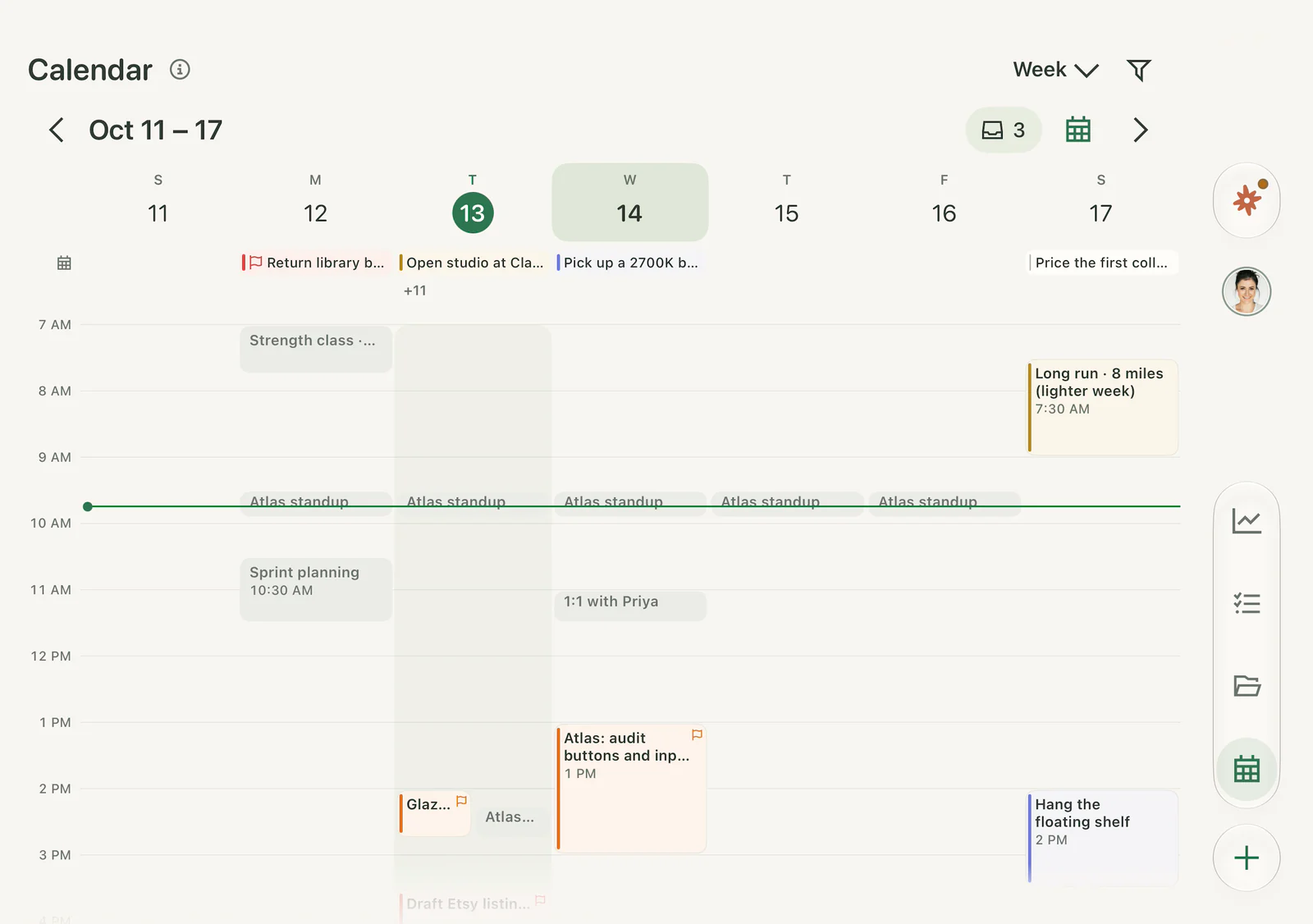

On the folded phone, Calendar moves through Day, Week, Month and Agenda.
Google and iCloud. Connect the calendars you already use.
Your events stay put. Rituals never edits them.
Your hours. When you’re free, and when you focus best.
Agents
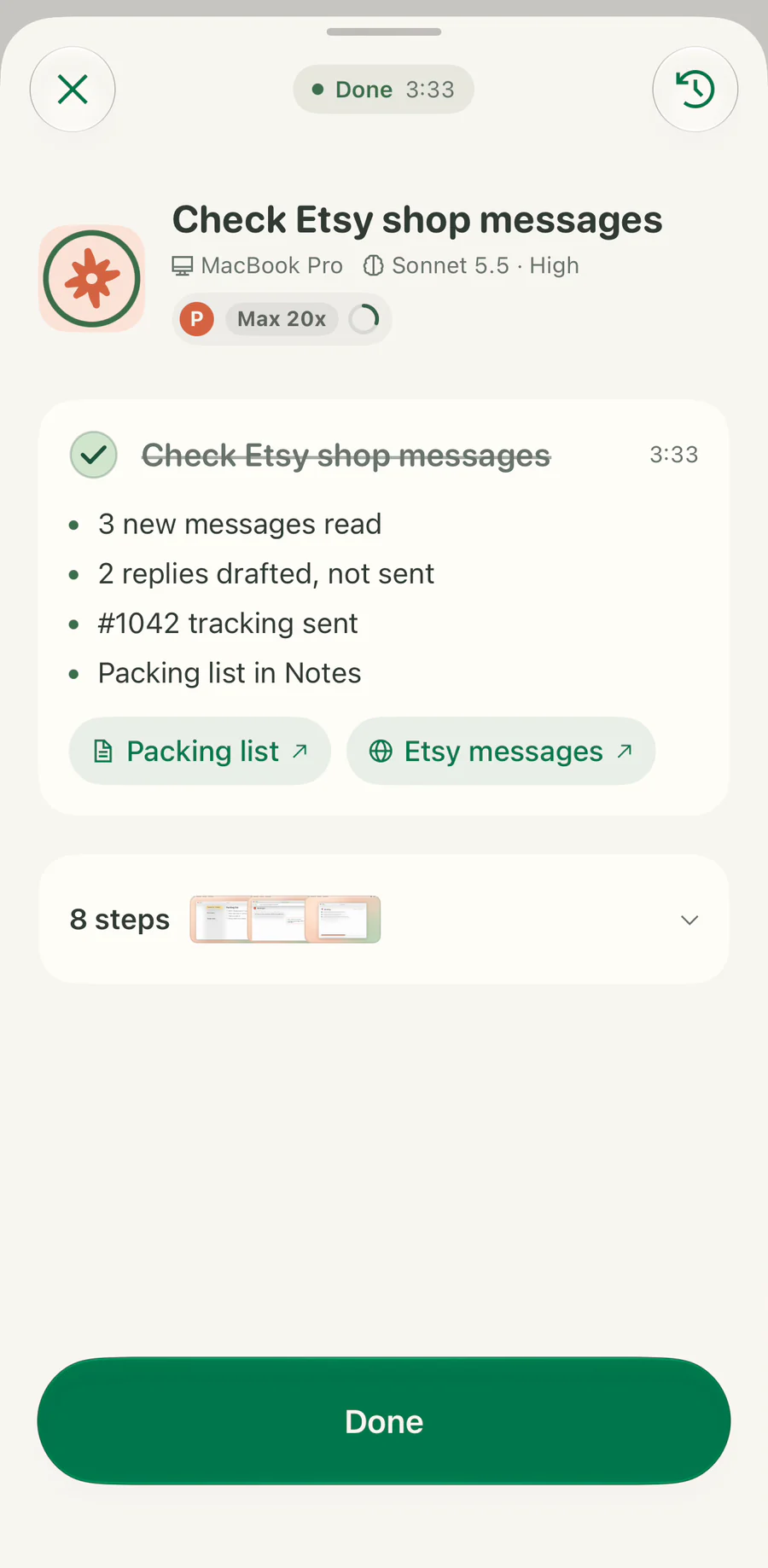
Give your agent a task on your Mac. It shows its work and asks before anything is sent, published or bought.

Maya reviews what her agent may use and what it asks about first, then saves the automation.
Sharing
Pick one task and who can join. Before it goes out, you review exactly what people will see.
Friends or public. Pick friends, close friends or the public for each task.
Request to join. Pick it and each person who asks waits for your yes.
Area before approval. Show just the area until someone is approved to join.
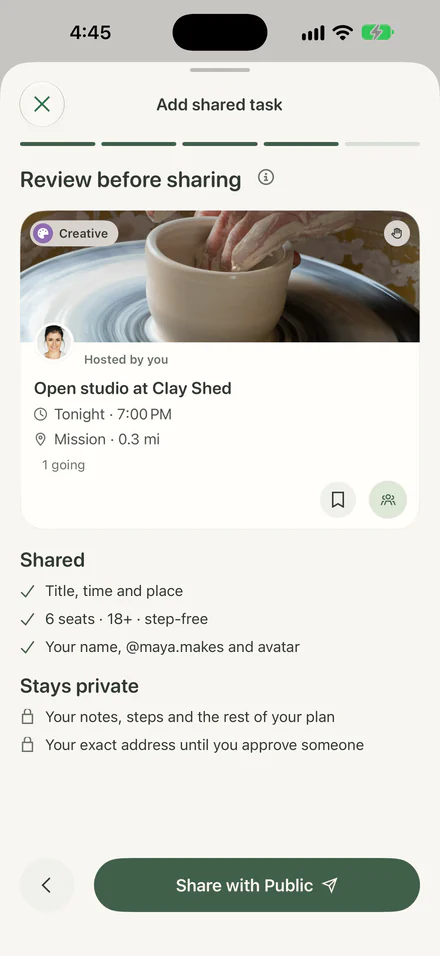
Friends or public. Pick friends, close friends or the public for each task.
Request to join. Pick it and each person who asks waits for your yes.
Area before approval. Show just the area until someone is approved to join.
Together
Plan the Saturday long run with friends, edit it live together and let everyone’s agents help. You decide what stays.
Add by username. Find a friend by their exact username.
Around now. A status each friend chooses to share, like out on a run.
Private until you share. You choose each task or plan a friend can see.
Live cursors. See who’s on the page and where they’re working.
Changes as they happen. Edit a shared plan together and see each change as it happens.
Comments stay put. Talk it through right on the task.

On the Open Clay & Tide project, Maya’s Claude joins the page and Jules’s cursor, with her name, moves from the description to the title.
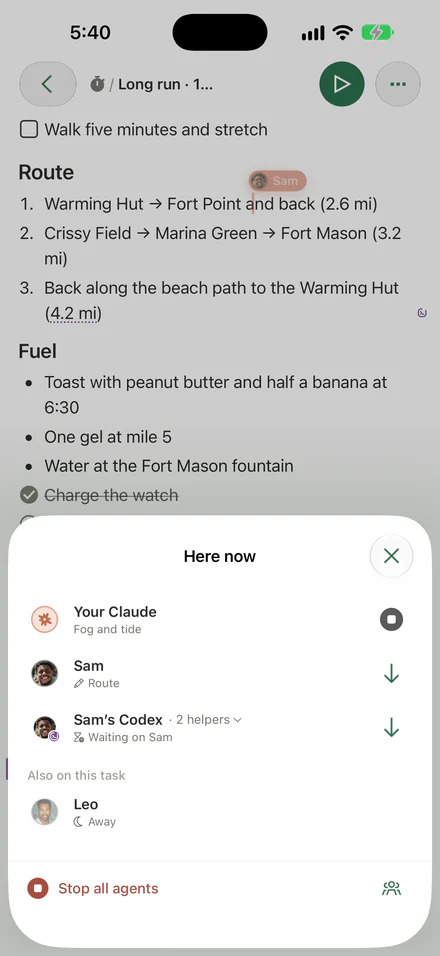
Agents work alongside. Your Claude and a friend’s Codex can each take their own steps.
Edits carry a name. You can see which person or agent changed what.
You stay in charge. Suggestions wait for review, and you can stop agents at once.

On the shared long run, Sam’s cursor moves along the route, Maya’s Claude writes “Fog lifts around 9 · low tide 7:48”, Sam’s Codex checks off the Fort Mason fountain, and Claude’s step finishes.
Portfolio
rit.al/maya.makes
Publish a project’s story or a few journal lines, then share the link.
Only what you publish. Everything else stays off your page.
Credit who helped. Plans you did together show who was there.

Maya’s Portfolio becomes its public view at rit.al/maya.makes, opens the story of opening Clay & Tide, and shares the link.
Only what you publish. Everything else stays off your page.
Credit who helped. Plans you did together show who was there.
Journal
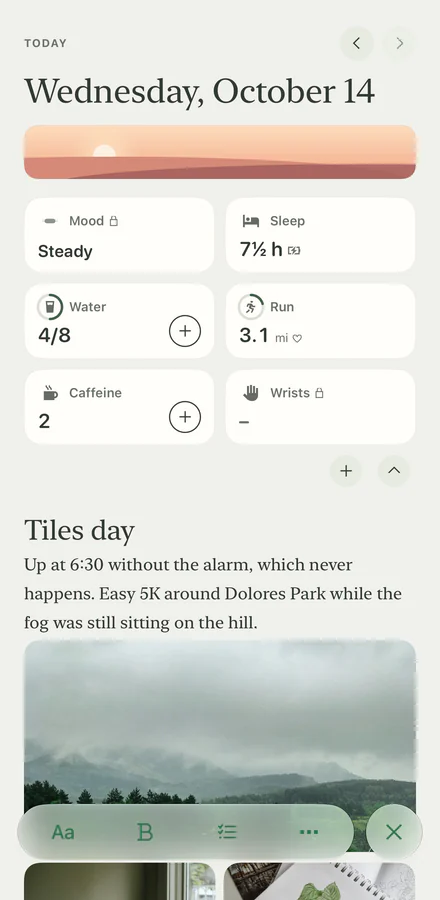
A few lines a day, the trackers that help, and progress you can see over weeks. Skip a day and nothing breaks.
More than 30 trackers. Sleep, water, runs or your own. Mood is optional.
Yours alone. The Assistant can’t see your journal unless you let it.
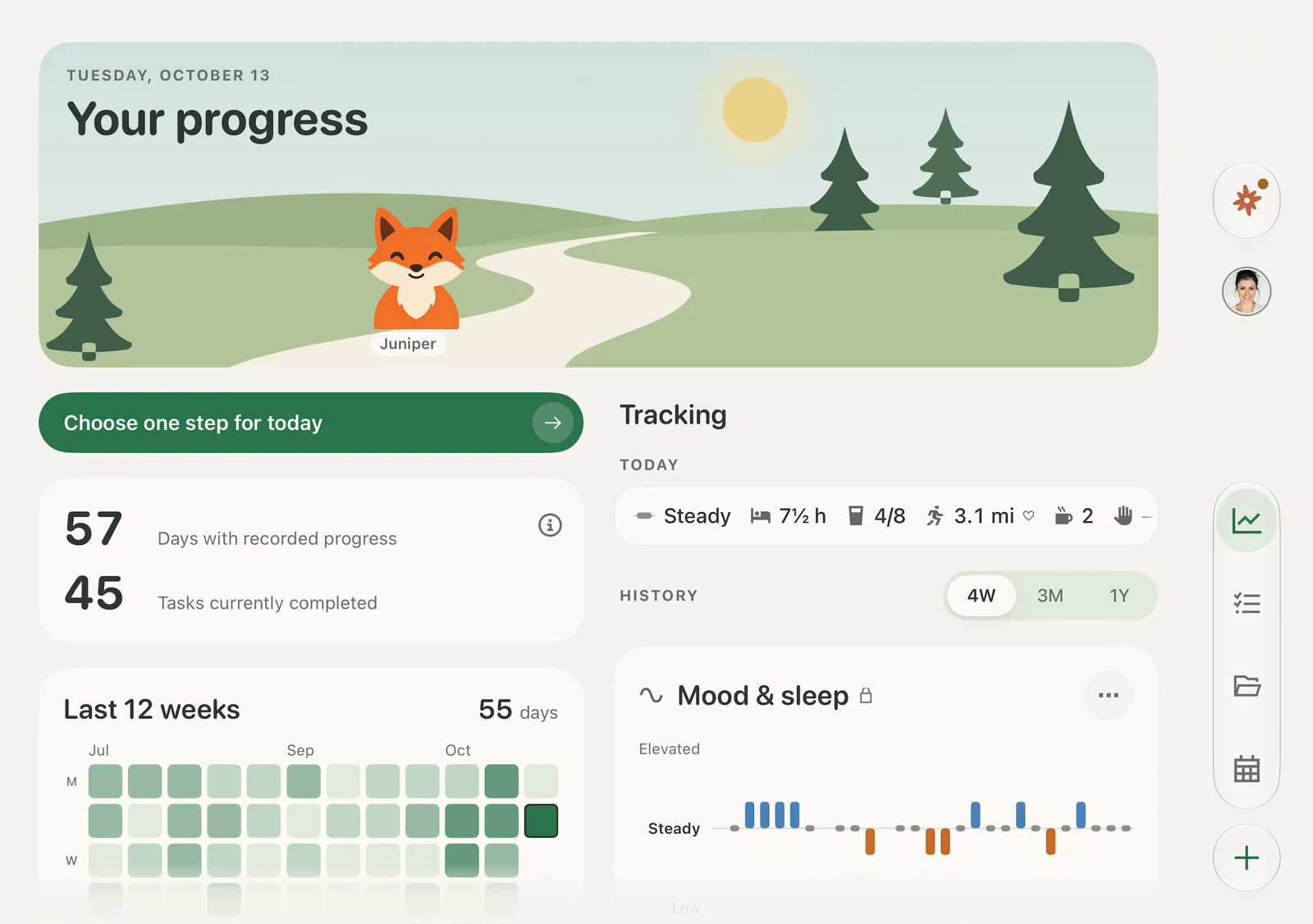
Twelve weeks at a glance. An empty day is just a quiet square.

Maya’s journal for Tuesday, October 13, “Tiles day,” with a few trackers, then her progress over the last 12 weeks.
More than 30 trackers. Sleep, water, runs or your own. Mood is optional.
Yours alone. The Assistant can’t see your journal unless you let it.
Twelve weeks at a glance. An empty day is just a quiet square.
All of Rituals
Tasks, calendar, goals, journal and friends, in one calm app.
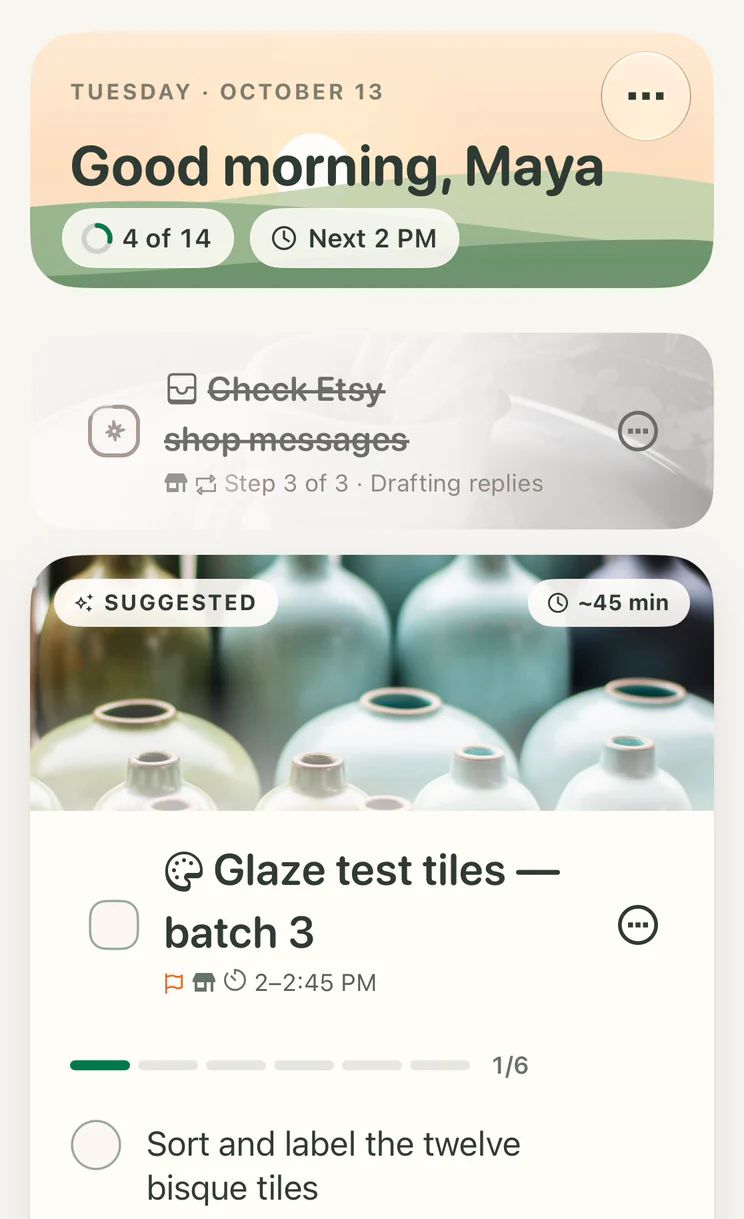
Showing Today: Your day, with the next step on top.
Morning · Start
Afternoon · Organize
Evening · Share
Night · Reflect
Morning · Start
Your day, with the next step on top.
Afternoon · Organize
Evening · Share
Night · Reflect
Tell Rituals what you want to make room for. It suggests a first step and a place for it this week.
Web, iPhone and Mac
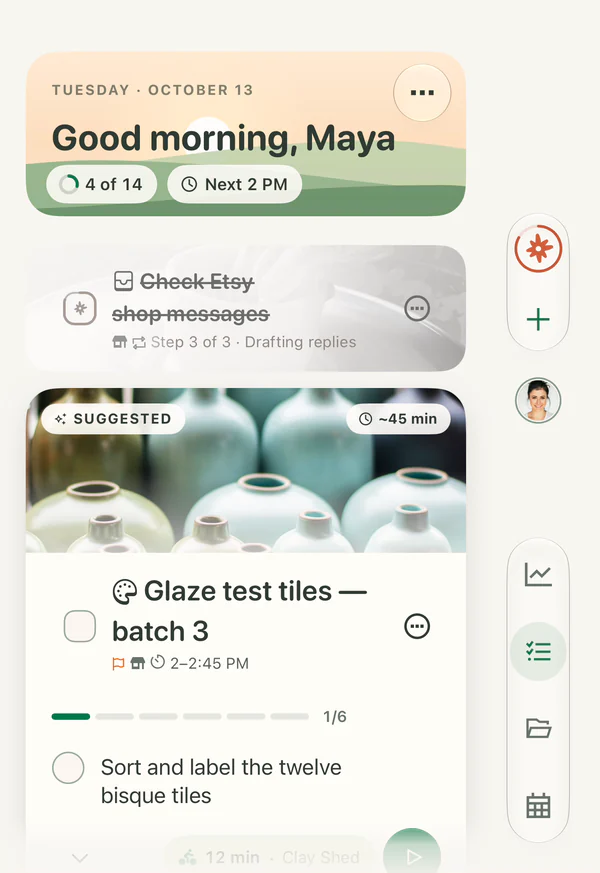
One plan across your devices. The iPhone and Mac apps open here as beta access becomes available.
Ready now. Nothing to install.
Any modern browser
Open RitualsWidgets, Live Activities, alarms and Siri.
iPhone, folded or open · Beta
Beta access opens here when it’s ready.
Your day and its details, side by side.
Apple silicon · macOS 27 or later · Beta
Open this page on a Mac with Apple silicon to install.
No. Connecting a calendar is optional. If you do, Rituals reads when you’re busy so your steps fit around your events, and it never edits them. If you want your plan in a calendar too, you choose where it goes.
When you ask for help, it sees your message and the planning details that help, like related tasks and busy times. Your journal stays out unless you turn it on; by default, changes wait for your review. Rituals doesn’t sell your data or use it for ads. You can request account deletion in Account settings.
No. You choose what it can use, and it asks before anything is sent, published or bought. Anything it isn’t sure about waits for you, and every run ends with a record of what it did.
Your plans aren’t shared until you choose. You pick each task, plan or page a friend can see, and friends can find you by your exact username. Tasks you open up can be found by people nearby. There’s no last seen and no location for friends; an open task shows only the area you choose.
Nothing is lost. Finished steps stay finished, and what’s left can move to a day with room, get smaller or wait. Nothing piles up, and most changes can be undone.
A to-do list keeps growing, and a calendar only holds what’s already decided. Rituals picks the next step, finds it a free time, and re-plans when the day changes.
Rituals works in any modern browser today. The iPhone and Mac apps are in beta, and access opens here when it’s ready.
During the beta, a mobile number from a supported country adds a second sign-in step to keep your account safe. The sign-in step lists those countries. Twilio sends and checks the codes, which are for security only.